Official Website | The premier platform

Volt Executor

A modern security research platform for game penetration testing, exploit detection, and strengthening anti-cheats across all your environments.

Learn More
Players: 12,847
Load: 23%
Uptime: 99.99%
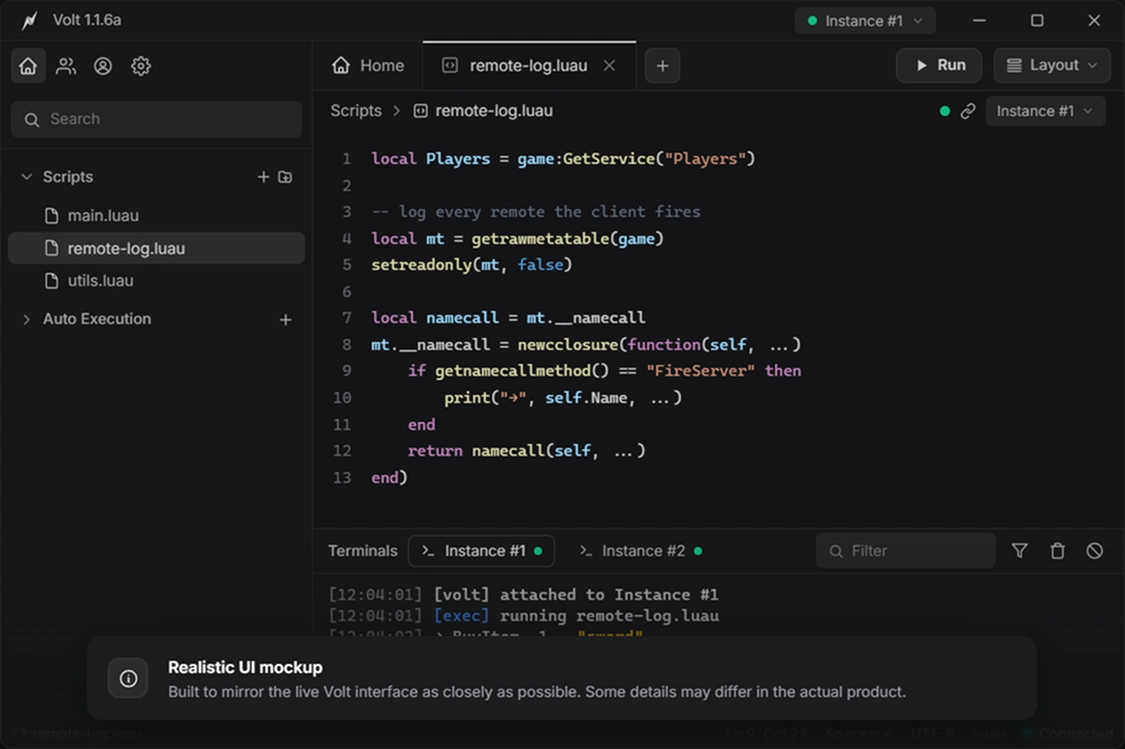
Volt Executor Interface

One platform, every tool you need.

Decompile and read any script, run across multiple instances at once, and stay stable through the longest research sessions with Volt Executor.

v1.1

Luau decompiler

Turn compiled bytecode back into clean, readable Luau you can study and adapt in seconds.

local s = game:GetService("Players")
return s.LocalPlayer
Multi

Account manager

Run many accounts side by side and broadcast one script across every instance at once.

Bypass

Undetected Core

Custom execution thread architecture keeps you hidden from major client-side anti-cheat systems.

> Inject payload... [OK]
> Status: Secured
99.9%

Rock-solid reliability

A tuned engine and audited updates keep long sessions running smoothly through heavy use.

Uptime 99.98%
Crash 0.02%
Ping 4ms
Cloud

Cloud Script Hub

Access a massive database of scripts. Search, load, and execute directly from the UI.

API

Custom API Functions

Unlock advanced capabilities with our custom API. Manipulate metatables, hook functions, and more.

hookfunction(old, new)
getgenv().config = {}
Reviews

What researchers say

Feedback from developers and security researchers using Volt in their workflow.

1 / 6

We kept seeing the same bypass scripts circulating in the cheat communities, so we ran them through Volt on our own build. It clearly showed exactly which ones were slipping past our anti-cheat and doing real damage in the game. That gave us the information we needed to identify and fix those actual vulnerabilities they were exploiting.

Anonymous
Developer at undisclosed studio
Identity withheld at the user's request. Volt is a security research tool, and we don't endorse how every user chooses to apply it.

The decompiler alone saved us weeks. We were able to reverse-engineer leaked scripts and understand exactly how exploiters were manipulating our game's economy. Volt's output was clean and readable — no guessing, no garbage bytecode to interpret manually.

R. Kim
Lead Engineer, indie RPG studio
Identity withheld at the user's request. Volt is a security research tool, and we don't endorse how every user chooses to apply it.

Multi-instance support is a game changer for QA. We spin up six clients simultaneously, broadcast the same test script, and catch desync bugs that would take days to reproduce manually. Volt handles it without a single crash.

Anonymous
QA Lead at a mid-size studio
Identity withheld at the user's request. Volt is a security research tool, and we don't endorse how every user chooses to apply it.

I run a small anti-cheat consultancy. Volt is what I use to demonstrate to clients how exposed their game is before they hire us. Nothing explains a vulnerability better than showing it live. The custom API hooks make it easy to build targeted proof-of-concepts.

D. Vasquez
Independent security consultant
Identity withheld at the user's request. Volt is a security research tool, and we don't endorse how every user chooses to apply it.

Cloud Script Hub is incredibly useful. Instead of hunting forums for test payloads, everything is searchable in one place. We pull known exploits directly, test against our latest build, and patch before they ever go live. The workflow is seamless.

Anonymous
Security researcher
Identity withheld at the user's request. Volt is a security research tool, and we don't endorse how every user chooses to apply it.

Stability was always the problem with other tools — they'd crash mid-session and you'd lose everything. Volt just runs. Four-hour stress tests, heavy script loads, multiple instances. 99.9% uptime isn't marketing — it's what we actually measured over three months.

M. Torres
Game developer & tester
Identity withheld at the user's request. Volt is a security research tool, and we don't endorse how every user chooses to apply it.
Getting Started

How to Use Volt Executor

Volt Executor is designed for a seamless setup on any platform. Pick your operating system below and follow the steps to get started in under two minutes.

1
Download
Get the Volt Executor installer from the official site.
2
Run installer
Launch the .exe and follow the setup wizard prompts.
3
Open Volt
Start Volt Executor from your desktop shortcut.
4
Attach
Launch your target instance and click "Attach" in Volt.
5
Execute
Paste your script into the editor and hit "Execute."
Download for Windows
Windows 10/11 64-bit · 4 GB RAM · 200 MB disk space · .NET 4.8+
1
Download
Get the Volt Executor .dmg file from the official site.
2
Mount DMG
Open the .dmg and drag Volt into your Applications folder.
3
Allow access
Go to System Settings → Security and allow the app to run.
4
Attach
Open your target instance and click "Attach" in Volt.
5
Execute
Load your script in the editor and hit "Execute."
Download for macOS
macOS 12 Monterey+ · Apple Silicon or Intel · 4 GB RAM · 250 MB disk space
1
Download APK
Get the Volt Executor APK from the official site.
2
Allow installs
Enable "Install from unknown sources" in your device settings.
3
Install APK
Open the downloaded file and tap Install to complete setup.
4
Attach
Launch the target app and tap "Attach" inside Volt.
5
Execute
Paste or load a script and tap "Execute."
Download for Android
Android 9+ · ARM64 · 3 GB RAM · 150 MB storage
1
Download IPA
Get the Volt Executor IPA from the official site.
2
Sideload
Use AltStore or a signing service to install the IPA on your device.
3
Trust profile
Go to Settings → General → Device Management and trust the certificate.
4
Attach
Open the target app, then switch to Volt and tap "Attach."
5
Execute
Load a script and tap "Execute" to run it.
Download for iOS
iOS 15+ · iPhone 8 or newer · Sideloading required (AltStore / TrollStore)
Changelog

What's New in Volt Executor

Every update is built around stability, speed, and staying ahead of detection. Here's what changed.

changelog — Volt Executor
Releases
v1.4.0 July 18, 2026

Major release — redesigned Cloud Script Hub, rewritten injection pipeline, full iOS sideload support. Most stable build to date.

New
Cloud Script Hub v2 — full-text search, categories, one-click execute, community ratings.
iOS sideload support via AltStore / TrollStore. Full attach-and-execute on iOS 15+.
Built-in editor with syntax highlighting, autocomplete, and inline Luau error markers.
Improved
Injection pipeline rewritten — attach time down from ~3.2 s to under 800 ms.
Memory usage cut 35 % in multi-instance sessions via smarter thread pooling.
Fixed
Race condition in hookfunction causing crashes under heavy callback load.
UI freeze on macOS Sequoia when toggling system themes.
v1.3.2 June 29, 2026

Hotfix — patches a detection vector from the June 27 client update and stabilises decompiler output.

Fixed
New signature scan from June 27 update that flagged Volt's execution thread.
Decompiler malformed output on deeply nested coroutine chains.
Auto-updater failing silently on paths with non-ASCII characters.
v1.3.0 May 11, 2026

Account Manager for multi-instance workflows and a major Android performance overhaul.

New
Account Manager — up to 12 instances with per-account script queues and session persistence.
Script broadcast — execute one script across every active instance in a single click.
Improved
Android engine rewritten in native C++ — 4× script throughput on ARM64.
UI refresh — monospace editor font, adjustable panels, persistent console log.
v1.2.0 April 5, 2026

Full macOS support and the Custom API layer — hookfunction, getgenv, metatable manipulation, and more.

New
macOS native — Universal Binary for Apple Silicon and Intel, full feature parity.
Custom API: hookfunction, getgenv, setreadonly, getrawmetatable + 14 more.
Breaking
Dropped Windows 7 / 8.1 support. Minimum is now Windows 10 build 1903+.
v1.1.0 March 14, 2026

First public beta of the Luau decompiler and initial Cloud Script Hub with 500+ community scripts.

New
Luau decompiler v1 — bytecode to readable source with variable name recovery.
Cloud Script Hub v1 — 500+ curated scripts, tag filtering, one-click load.
Improved
Android APK size reduced from 48 MB to 29 MB via asset compression and dead-code elimination.
v1.0.0 February 1, 2026

Initial public release — core execution engine, Undetected Core bypass layer, Windows and Android support.

Initial release
Core execution engine with Luau support, attach-and-execute workflow, built-in editor.
Undetected Core — custom thread architecture to evade client-side anti-cheat systems.
Windows 10/11 and Android 9+ at launch. Auto-updater included.
FAQ

Frequently Asked Questions

Everything you need to know about downloading, using, and troubleshooting Volt Executor.

What is Volt Executor and what is it used for?
Volt Executor is a security research platform designed for game penetration testing, script analysis, and anti-cheat evaluation. It lets developers and researchers execute Luau scripts, decompile bytecode, and test exploit vectors in a controlled environment to identify and patch vulnerabilities before they are exploited in production.
How do I download and install Volt Executor?
Click the Download button on this page to get the installer for your platform — Windows, macOS, Android, or iOS. On Windows, run the .exe and follow the setup wizard. On macOS, open the .dmg and drag Volt to Applications. On Android, enable unknown sources and install the APK. On iOS, sideload the IPA via AltStore or TrollStore.
Is Volt Executor free to use?
Yes — Volt offers a fully functional free tier that includes the core execution engine, script editor, and basic decompiler. A premium tier is available for advanced features like the Account Manager, Cloud Script Hub v2, and priority access to bypass updates.
Is Volt Executor safe? Will I get banned?
Volt uses a custom execution thread architecture — Undetected Core — specifically designed to avoid detection by major client-side anti-cheat systems. While no tool can guarantee 100% undetectability, Volt's bypass layer is continuously updated after every client patch. We recommend testing on alt accounts to minimise any risk.
What platforms does Volt Executor support?
Volt runs on Windows 10/11 (64-bit), macOS 12 Monterey and later (Apple Silicon and Intel), Android 9+ (ARM64), and iOS 15+ via sideloading. All platforms share the same feature set, including the decompiler, multi-instance support, and Cloud Script Hub.
How do I uninstall Volt Executor?
On Windows, open Control Panel → Programs → Uninstall, find Volt Executor, and remove it. On macOS, drag the app from Applications to the Trash. On Android, long-press the icon and tap Uninstall. On iOS, delete it like any other app — the profile is removed automatically.
Does Volt Executor have a key system?
No. Volt does not use a key system, link shorteners, or ad-gated downloads. You download the installer directly from this site, install it, and start using it immediately — no keys, no wait timers, no third-party verification steps.
How often is Volt Executor updated?
Volt receives regular updates — typically within 24–48 hours after any major client-side patch that affects compatibility. Feature releases ship roughly once a month, and hotfixes go out as needed. The built-in auto-updater handles everything in the background so you're always on the latest version.